ActivePresenter 10.1.1
Video editor and multimedia content authoring tool for creating videos, tutorials, demos and interactive presentations.
Old versions
See all old versionsDescription
ActivePresenter is an authoring and screen capture software aimed at creating educational materials, training, and e-learning content on computers. It combines screen recording, video editing, and interactive presentation production in a single environment.
ActivePresenter allows you to record the computer screen with system audio and microphone, as well as optionally capture the webcam. Recordings can be made in full screen, selected areas, or specific windows, catering to software demonstrations, video lessons, and step-by-step tutorials.
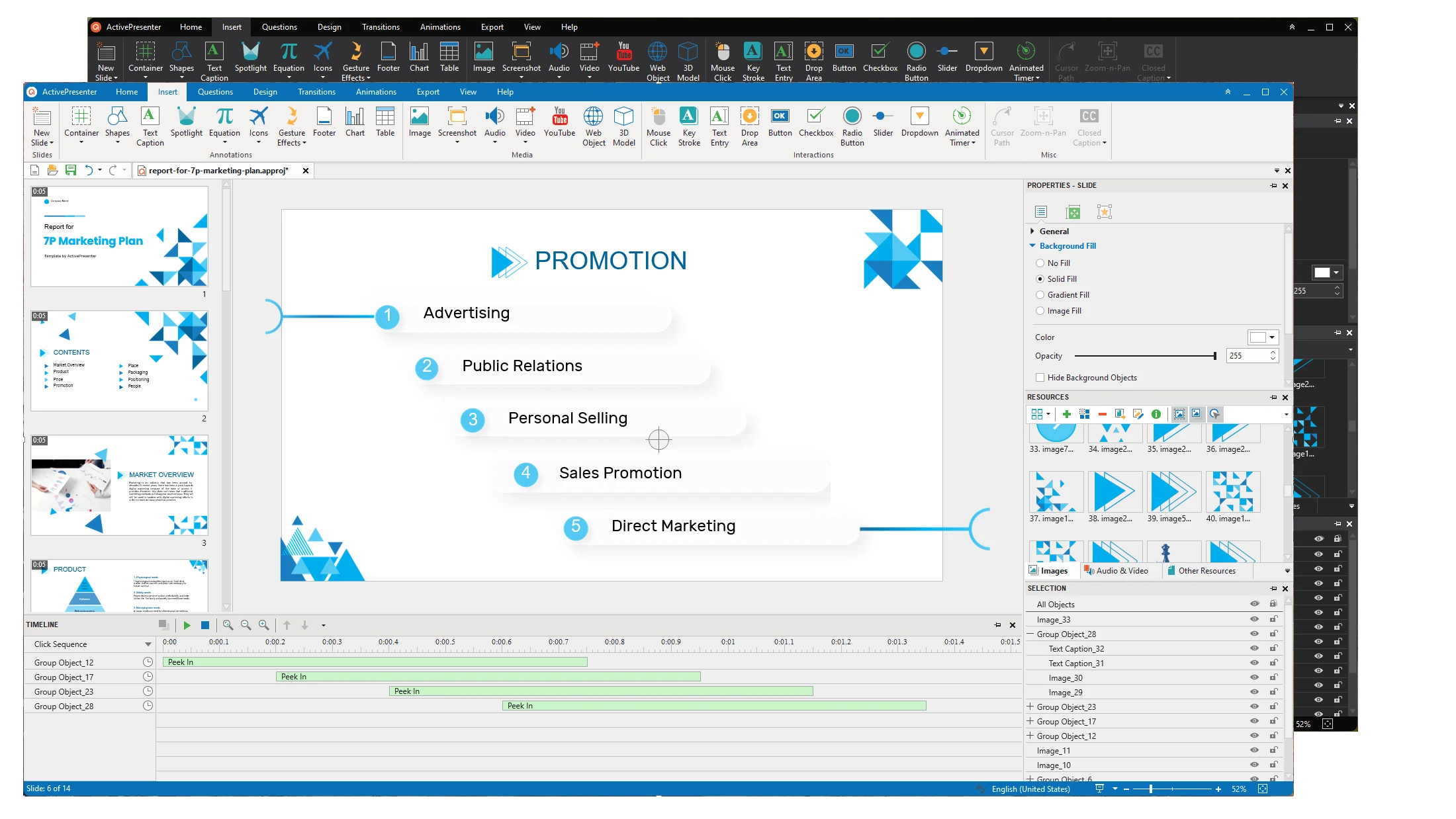
The program includes a timeline-based editor where you can cut segments, adjust audio, insert text, images, shapes, subtitles, and visual effects. It also supports animations, scene transitions, and synchronized narration, making it easier to create more structured explanatory videos.
ActivePresenter offers specific features for e-learning, such as creating quizzes, interactive tests, and software simulations. You can add multiple-choice questions, true or false questions, open-ended responses, and assessments with automatic scoring, being compatible with standards like SCORM and xAPI used in LMS platforms.
The software allows exporting projects in different formats, including MP4, AVI, HTML5, and packages for distance learning systems. These formats ensure that the content can be accessed on computers, tablets, and smartphones, depending on the type of publication chosen.
Compatible with Windows, macOS, and Linux, ActivePresenter is primarily used by teachers, instructors, online course creators, and corporate training professionals who need to produce comprehensive teaching materials, combining screen capture, editing, and interactivity in a single software.
Screenshot