AutoHideMouseCursor 6.26
Utility that makes the mouse cursor disappear at predetermined times where there is no movement.
Old versions
6.16
78.09 KB02/26/2026
5.95
77.91 KB11/24/2025
5.77
78 KB02/10/2025
5.66
76.91 KB09/19/2024
5.52
76.37 KB08/29/2023
5.51
76.28 KB08/11/2023
5.41
139.73 KB12/07/2022
Description
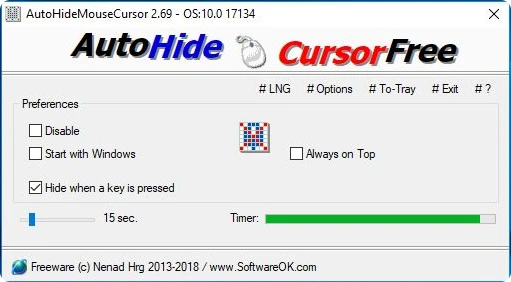
AutoHideMouseCursor allows you to control the automatic disappearance of the cursor after a configured time, working portably and without the need for installation. The program monitors mouse inactivity and restores the cursor as soon as any movement is detected, maintaining predictable behavior during use.
The tool helps you keep the screen clean during presentations, video recordings, running software in full screen, or whenever the cursor becomes visually distracting. The delay time can be adjusted from a few seconds to long intervals, offering flexibility for different situations.
AutoHideMouseCursor can be run from any folder or USB drive, saves preferences locally, and consumes few system resources. It also supports background execution, automatic startup, and simple activation and deactivation control, allowing you to use the feature only when necessary.
Screenshot