Display Driver Uninstaller (DDU) 18.1.5.1
Completely uninstall video drivers from NVIDIA, AMD and Intel.
Old versions
18.1.2.1
1.62 MB07/18/2025
18.1.1.2
1.62 MB05/22/2025
18.1.1.1
1.61 MB05/02/2025
18.1.1.0
1.19 MB04/11/2025
18.1.0.0
1.6 MB03/16/2025
18.0.9.2
1.6 MB01/31/2025
18.0.9.1
1.59 MB01/26/2025
18.0.8.7
1.59 MB11/23/2024
Description
Display Driver Uninstaller (DDU) is a utility dedicated to completely removing graphics drivers from NVIDIA, AMD, and Intel on Windows systems. The program deletes files, folders, services, registry entries, and hidden components that often remain after the standard system uninstallation, preventing conflicts in future installations.
The tool is widely used when changing graphics cards, fixing persistent driver errors, reinstalling previous versions, or preparing the system for a clean installation. The process reduces the chances of failures such as artifacts, crashes, performance loss, or incompatibilities between different driver versions.
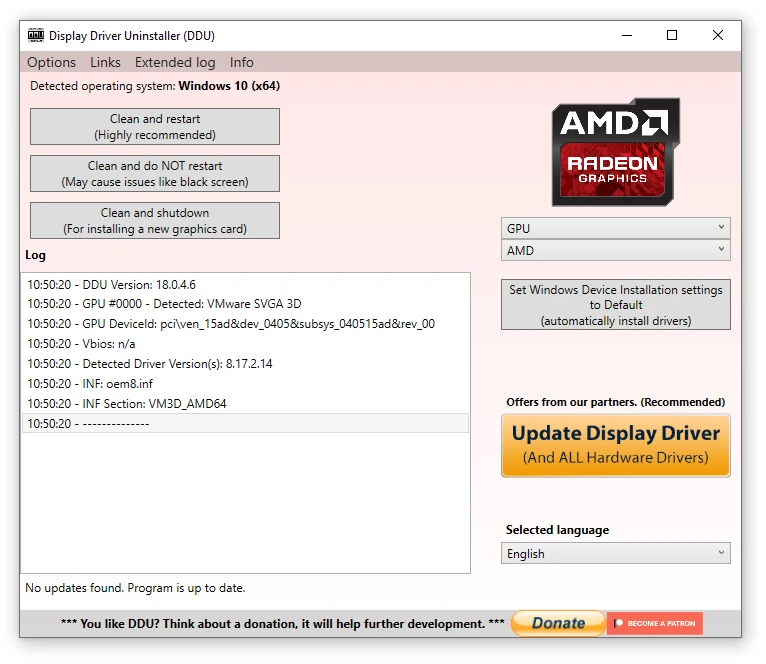
DDU offers targeted cleaning for each manufacturer, logging the actions performed and allowing for automatic restart upon completion. There are internal recommendations to disable Windows automatic driver updates during the procedure, ensuring that nothing is reinstalled prematurely.
The developer advises running the cleanup in Safe Mode, as this prevents graphics services from loading, increasing the effectiveness of the process. DDU maintains a lightweight and straightforward operation, helping you achieve a cleaner environment for installing the desired graphics driver.
Screenshot