doPDF 11.9.511
Convert documents to PDF in any software that has the option to print.
Description
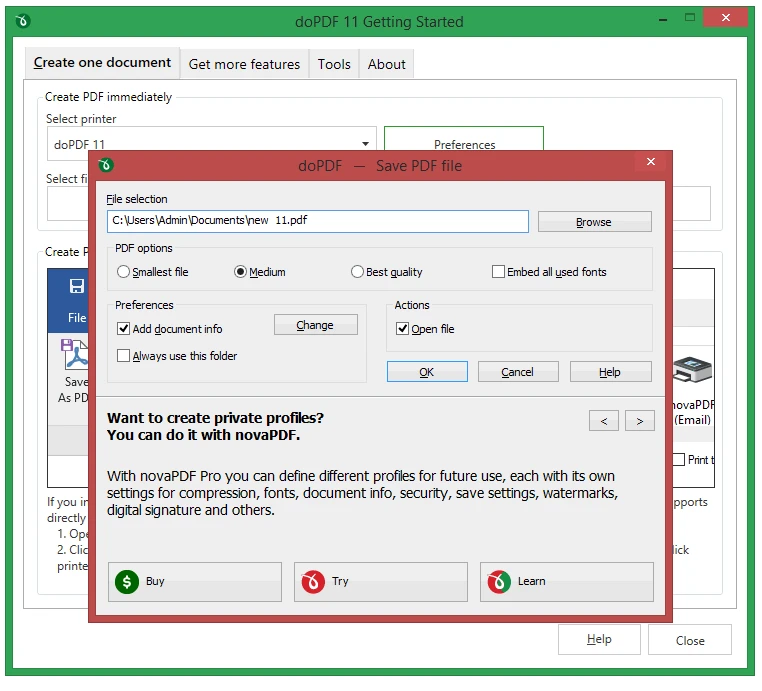
doPDF is a software that acts as a virtual printer to generate PDF files from any application that has a print option. By selecting doPDF as the printer, the program automatically converts the document to PDF, preserving the original formatting and fonts used. The process is simple: just open the file in your usual program (such as Word, Excel, browser, or image editor), access the Print option, choose doPDF, and set the location where the file will be saved. Then, the document is converted and automatically opened in the system's default PDF reader. The software allows you to adjust settings such as page size, image quality, resolution, and font embedding, ensuring flexibility in creating PDFs. Additionally, it offers direct integration with Microsoft Office, adding a quick conversion button in the Word, Excel, and PowerPoint applications. Lightweight and free, doPDF is compatible with all recent versions of Windows and is a practical solution for anyone needing to convert documents to PDF quickly, reliably, and without relying on online tools.
Screenshot