LobbyBrowser 4.5
Chromium-based browser that offers lightweight, anonymous, and practical browsing.
Description
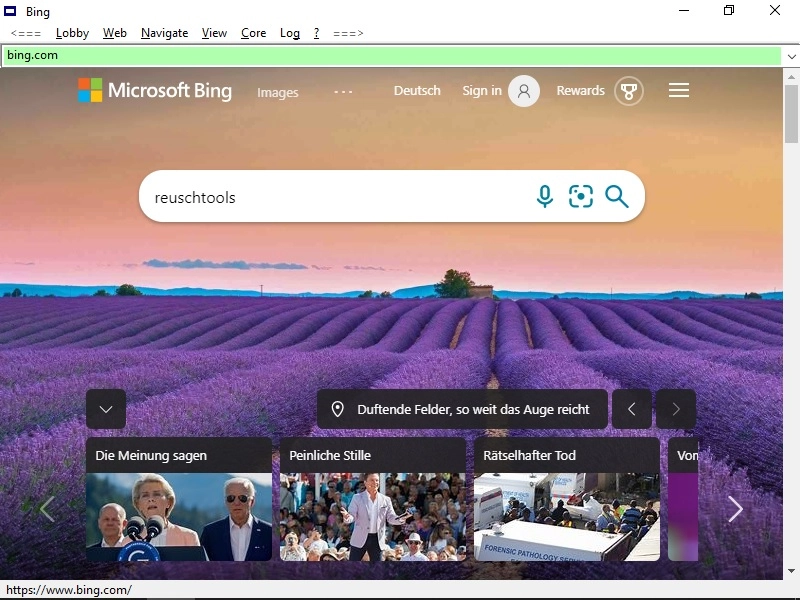
LobbyBrowser is a free Chromium-based browser developed by Reuschtools, designed to provide lightweight, anonymous, and practical browsing on Windows 10 and Windows 11 systems.
Main Features
Completely free, with a fully functional version available from download, with no hidden costs.
Anonymous download with no updates, uploads, or hidden downloads.
Lightweight, ad-free, fast, and simple interface.
Allows viewing pages via Chromium or Internet Explorer, if necessary.
Supports more than 10 search engines, with immediate switching possible in the address bar (e.g.: YouTube, Wikipedia).
Multicolored history to facilitate navigation between visited URLs and searched terms.
Visual indication of safe, unsafe URLs, past searches, or local paths.
Microsoft SmartScreen is disabled by default but can be enabled in the “Core” menu.
Super Scroll: keep the right mouse button pressed to scroll quickly.
Boss Key: Esc key instantly closes the browser, resuming later from the same page and position.
Quick Cleanup: Alt + Delete or command in the menu cleans history, cookies, and cache.
Drag and drop text into the address bar to automatically initiate searches.
Club Mode: enables autoplay in fullscreen, especially useful for YouTube videos.
Playback rate control for MP3/MP4 videos via the "Playback Rate" menu.
Backspace navigation: Backspace key returns to the previous page or search (automatically disables in input fields).
One-Handed Shortcuts:
Alt + W: toggle fullscreen
Alt + S: open/close history
Alt + A: focus/unfocus address bar
Alt + D: show/hide address bar
Alt + Tab: next window
Ctrl + F5: clear cache and refresh page
Screenshot