OBS Studio 32.1.0
Free software to record and stream live videos.
Description
OBS Studio (Open Broadcaster Software) is a widely used software for video recording and live streaming, catering to gamers, streamers, and content creators who seek a high level of control and professional quality in gameplays, tutorials, and live presentations.
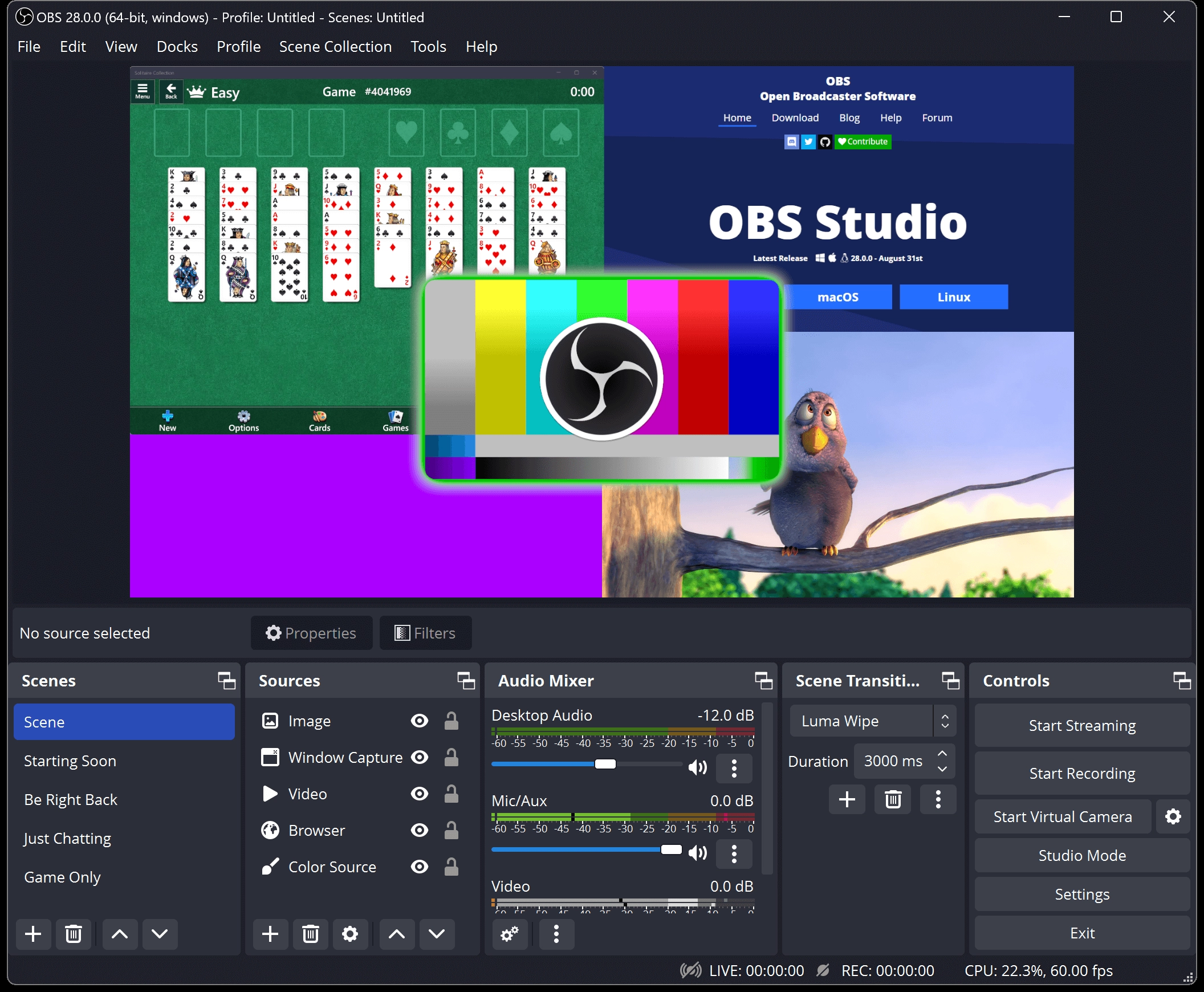
The program offers advanced features for screen capturing, games, specific windows, and video devices, allowing you to combine different sources into customized scenes. You can switch between scenes in real-time, add texts, images, webcams, overlays, and adjust each element in detail during recording or streaming.
The configuration options are quite comprehensive, enabling you to set resolution, frames per second, bitrate, video codec, final file quality, and output formats. Audio control is also precise, with support for multiple audio sources, filters, independent mixing, and synchronization between audio and video.
OBS Studio supports live streaming on various popular platforms, offering specific adjustments for each streaming service. The software works with both software and hardware encoding, leveraging the resources of the graphics card and processor to improve performance and stability of the streams.
Other important features include support for keyboard shortcuts, additional plugins, separate configuration profiles, and high-quality local recording. These functionalities make OBS Studio a robust solution for those looking to produce live or recorded content with complete control over every step of the process.
Screenshot