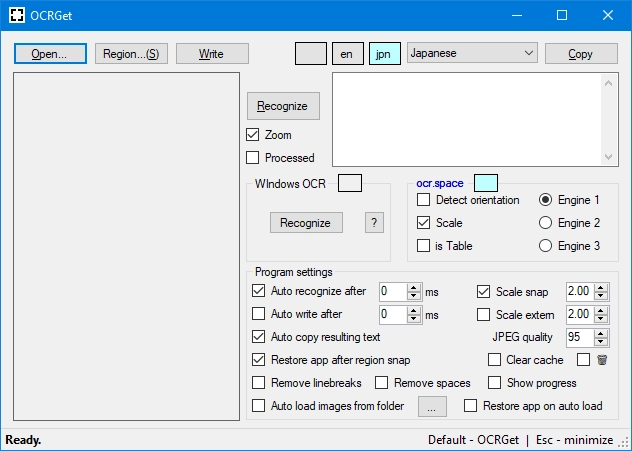
OCRGet 1.5.3
Software that allows for optical character recognition (OCR) in images and PDFs, extracting text efficiently.
Description
OCRGet is a software that allows you to perform optical character recognition (OCR) on images and PDFs, extracting text efficiently. It is based on Python and uses the Tesseract OCR library, with support for automation via a graphical user interface (GUI) and command line interface (CLI). The project is aimed at users who need a simple and customizable tool to extract text from scanned documents or images.
Main Features:
- OCR for Images and PDFs: Extracts text from PNG, JPEG, BMP, TIFF files and PDFs.
- Graphical Interface and CLI: Offers a GUI built with Tkinter for ease of use and CLI support for automation.
- Image Preprocessing: Includes options to enhance image quality (brightness adjustment, contrast, binarization) before OCR.
- Flexible Output: Extracted text can be saved to TXT files or copied to the clipboard.
- Tesseract Configuration: Allows you to specify the path to Tesseract and additional parameters to optimize recognition.
- Support for Multiple Files: Processes multiple files in batch via CLI.
Screenshot