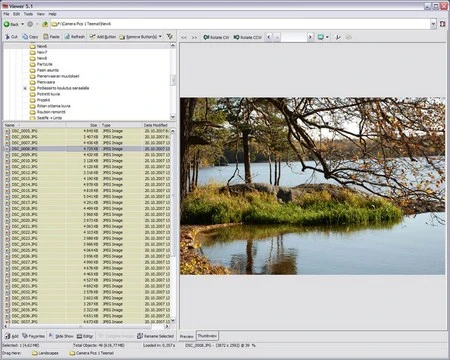
WildBit Viewer 6.18
Easy-to-handle image viewer with many features.
Old versions
See all old versionsDescription
WildBit Viewer allows you to quickly open and navigate between images, edit files, create presentations, and search visual content by metadata.
Main Features
Viewing
- Image display with thumbnail support, smooth scrolling, and full-screen mode.
- Reading and displaying EXIF, IPTC, and XMP metadata.
- Automatic rotation based on EXIF orientation.
- Side-by-side image comparison.
- Favorites for folders and files.
- Support for over 70 image formats, such as BMP, JPEG, PNG, TIFF, GIF, PCX, TGA, WMF, and RAW files from cameras.
- Dynamic sorting and resizing of thumbnails.
Slideshow
- Creating presentations with custom lists of images.
- 176 transition effects available.
- Individual control of time and effects per image.
- Support for multiple monitors.
- Option to shuffle display order and apply automatic rotation according to EXIF data.
Image Editor
- Cropping, rotation, mirroring, and resizing tools.
- Adjustments for color, brightness, contrast, saturation, and sharpness.
- Effects such as blur, shadows, red-eye removal, and various filters.
- Batch editing, allowing changes to be applied to multiple images at once.
- Annotation and marking tools with text and vector shapes.
Search
- Search by name, location, file size, and attributes.
- Advanced filters based on EXIF, IPTC, and XMP metadata.
Additional Functions
- Visual customization with light and dark themes.
- Compatibility with RAW images and high-density (DPI) monitors.
- File list generation and export in formats such as HTML, CSV, TXT, and RTF.
- Support for Unicode.
Screenshot