VirtualBox 7.2.12
Software that allows you to virtualize one operating system within another.
Description
VirtualBox is virtualization software that allows you to run one operating system inside another, enabling you to run Linux on Windows, Windows on Linux, or even different versions of the same system on the same computer. It creates fully independent virtual machines, each functioning like a separate computer, but utilizing the hardware of the main machine.
VirtualBox allows you to install and test various operating systems without the need to alter the already installed system on the computer. You can create isolated environments for testing, studying, software development, or running applications that require a specific system, without risks to the main system.
The program offers detailed control over the resources of the virtual machine. You can define the amount of RAM, number of CPU cores, disk space, virtual graphics card, audio, and network. Virtual disks can be configured with fixed or dynamic sizes, occupying space on the physical disk as needed. While it is possible to work with low values, at least 64 MB of RAM is recommended, depending on the guest system.
VirtualBox supports different network modes, allowing the virtual machine to access the internet, communicate with the host machine or other virtual machines. There is also support for USB devices, folder sharing, bidirectional clipboard, and mouse and keyboard integration, making everyday use easier.
Another important feature is the snapshot system, which allows you to save the complete state of the virtual machine at a specific moment. You can quickly revert to this point if something goes wrong during tests or installations, without the need to reinstall everything from scratch.
The software is compatible with various guest operating systems, including different Linux distributions, versions of Windows, BSD, and others. VirtualBox is available for Windows, Linux, and macOS, maintained by Oracle and widely adopted in both home and professional environments for virtualization on personal computers.
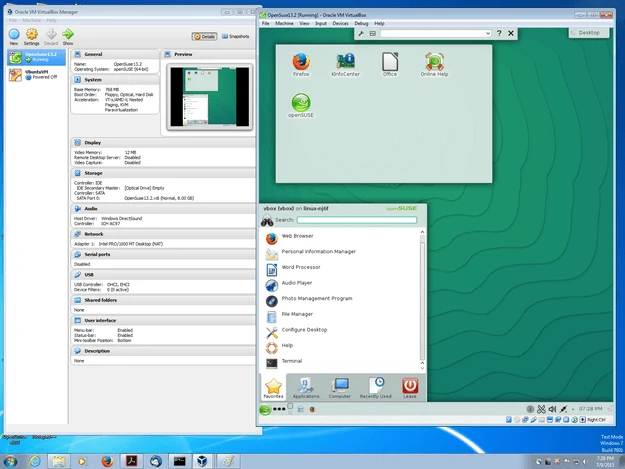
Screenshot