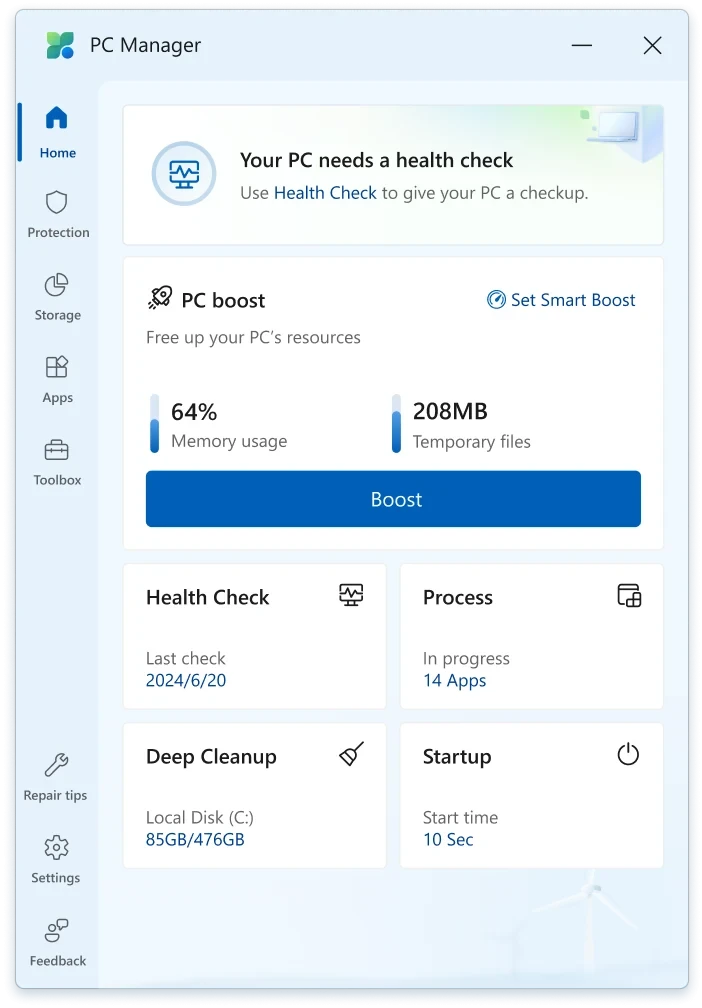
Microsoft PC Manager 3.18.11.0
Application that helps improve Windows performance by providing tools for system optimization.
Description
The Microsoft PC Manager is an application that helps improve the performance of Windows by offering tools for system optimization. It allows users to free up disk space, close unnecessary processes, and manage programs that start with the system, reducing boot time. The software also includes security options, such as checking for updates and detecting potential threats, helping to keep the system stable and protected.
The main features of Microsoft PC Manager include:
Performance Optimization
- Cleaning up temporary and unnecessary files to free up disk space.
- Ending processes that consume excessive resources, improving system speed.
- Managing programs that start with Windows, reducing boot time.
Storage Management
- Detailed analysis of disk usage, identifying large and infrequently used files.
- Tools for organizing and freeing up space more efficiently.
Security and Updates
- Checking for important updates for the operating system.
- Detecting potential security threats, such as malware or vulnerable settings.
Resource Management
- Real-time monitoring of CPU, memory, and storage usage.
- Quick adjustments to free up system resources when needed.
The goal of the software is to simplify Windows maintenance, providing practical and accessible solutions to keep the computer fast and stable.
Screenshot