MiniTool Partition Wizard Free Edition 12.9
Tool that offers features to manage, optimize, and organize disk space.
Description
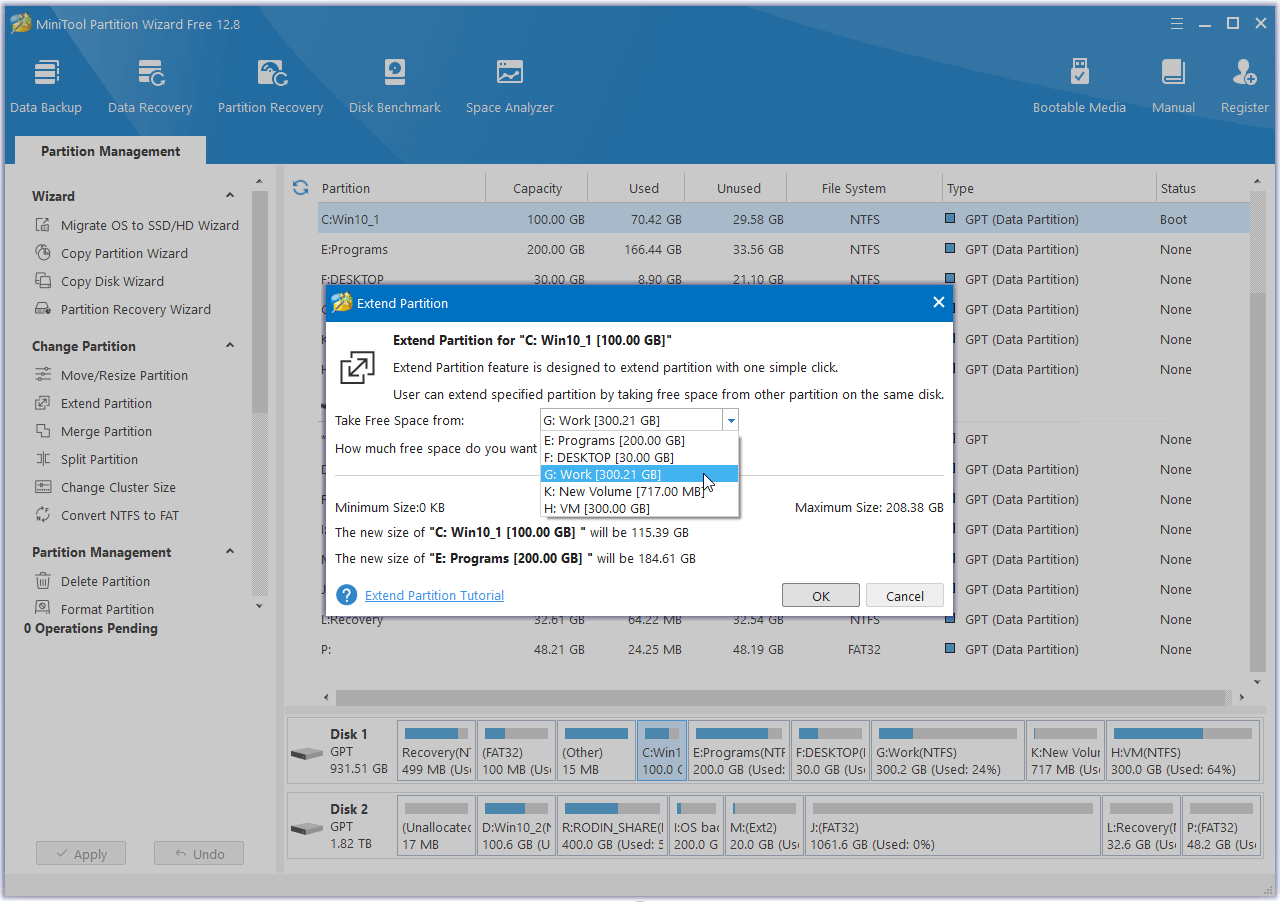
The MiniTool Partition Wizard Free Edition is a tool for home users and small offices that offers functionalities to manage, optimize, and organize disk space. With a range of features, the software helps in space distribution and maintaining a well-organized disk structure.
Main Features
1. Partition Management
Allows creating, resizing, moving, merging, splitting, formatting, deleting, hiding, and wiping partitions, enabling efficient storage space configuration.
2. Partition Conversion
Offers safe conversions between MBR and GPT, Primary and Logical partitions, as well as transforming FAT to NTFS without data loss.
3. Partition Checking
Capable of identifying and correcting errors in the file systems of specific partitions, as well as analyzing and detecting bad sectors on selected disks.
Software Highlights
- System Partition Extension: Safely and conveniently increases available space on critical partitions.
- 4K SSD Alignment: Ensures maximum performance for SSDs by properly aligning partitions.
- Secure Data Wiping: Permanently removes data from partitions, making recovery impossible by any tool.
- Disk Benchmark: Measures the read and write speeds of the disk in different access scenarios and displays the results in graphs.
- Space Analyzer: Identifies which files take up the most space on the disk, helping to free up storage.
Additional Features
- Merging Partitions: Combines two adjacent NTFS partitions without data loss.
- FAT32 to NTFS Conversion: Converts FAT32 disks to NTFS, allowing the storage of files larger than 4GB.
- File System Checking: Inspects the integrity of the file system and automatically corrects errors.
- Partition Formatting: Formats partitions for systems like FAT, exFAT, NTFS, Ext2/3/4, and Linux Swap.
Screenshot