optimizerDuck 2.25.5
Free software that allows you to optimize Windows performance and increase control over system privacy settings.
Description
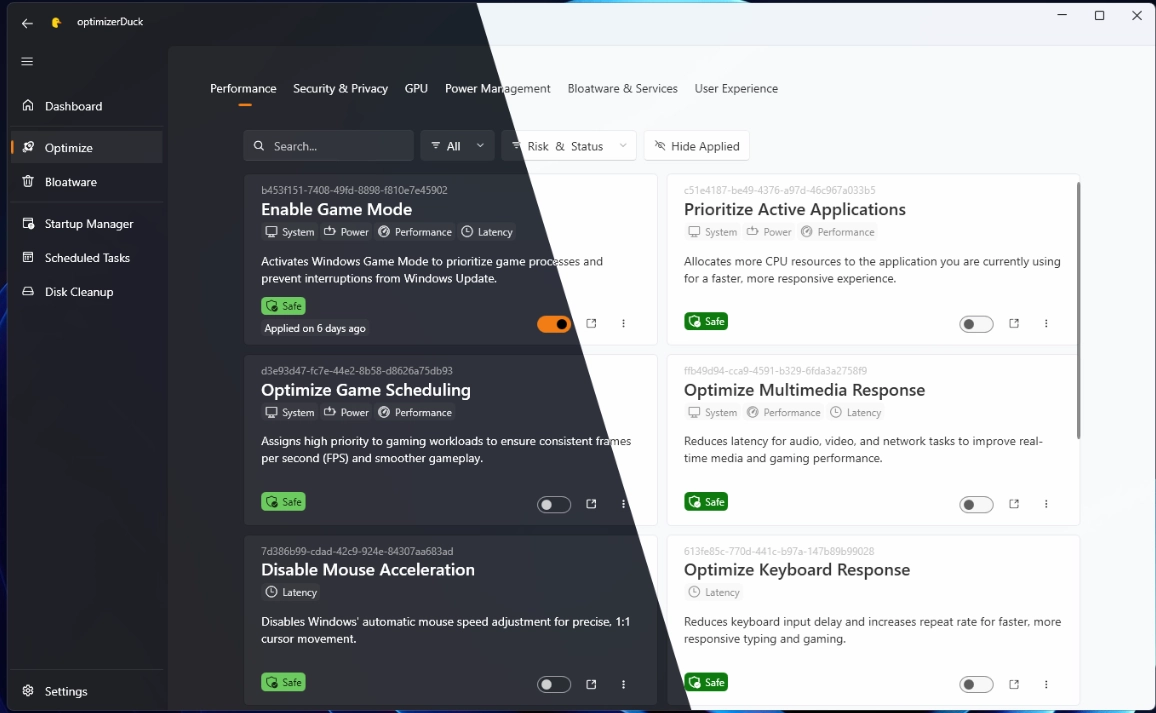
optimizerDuck is a free and open-source software created to optimize Windows performance and increase control over system privacy settings. The program brings together various system tweaks and modifications in a single panel, allowing improvements to be applied without manually altering Windows registries, services, or policies.
Main Features
1. Performance Optimization
optimizerDuck applies tweaks that reduce system resource consumption. Among them are:
- disabling background applications
- higher priority for foreground processes
- performance tweaks for CPU and GPU
- reduction of Windows visual effects
These changes can decrease RAM and CPU usage and make the system more responsive.
2. Removal of Bloatware
The program allows the removal or blocking of pre-installed Windows applications that are not always necessary. This frees up disk space and reduces active processes.
3. Privacy Control
optimizerDuck includes options to limit data collection done by Windows. Available tweaks include:
- disabling telemetry
- blocking tracking services
- disabling features like Cortana or Copilot
- disabling suggestions and ads in the system
These changes reduce the amount of information sent to Microsoft and can reduce background processes.
4. Quick Application of Tweaks
The program is distributed as a portable executable, requiring no installation. Just open the file and select the desired tweaks.
5. Safety Before Changes
Before applying modifications, optimizerDuck recommends creating a system restore point. This allows reverting to the previous state if any tweak causes issues.
In summary, optimizerDuck combines various performance settings, removal of unnecessary components, and Windows privacy tweaks into a single tool, making the application of these tweaks easier in a centralized manner.
Screenshot